Practical Cases
This page showcases various practical cases and prompt strategies for Gemini image generation, helping you master image generation techniques from basic to advanced levels.
Prompt Guidelines and Strategies
Basic Text-to-Image Cases
Case 1: Realistic Scenes
For realistic images, use photography terminology. Mention shooting angles, lens types, lighting, and details to guide the model to generate realistic effects.
Template:
"A photorealistic [shot type] of [subject], [action or expression], set in
[environment]. The scene is illuminated by [lighting description], creating
a [mood] atmosphere. Captured with a [camera/lens details], emphasizing
[key textures and details]. The image should be in a [aspect ratio] format."
Prompt:
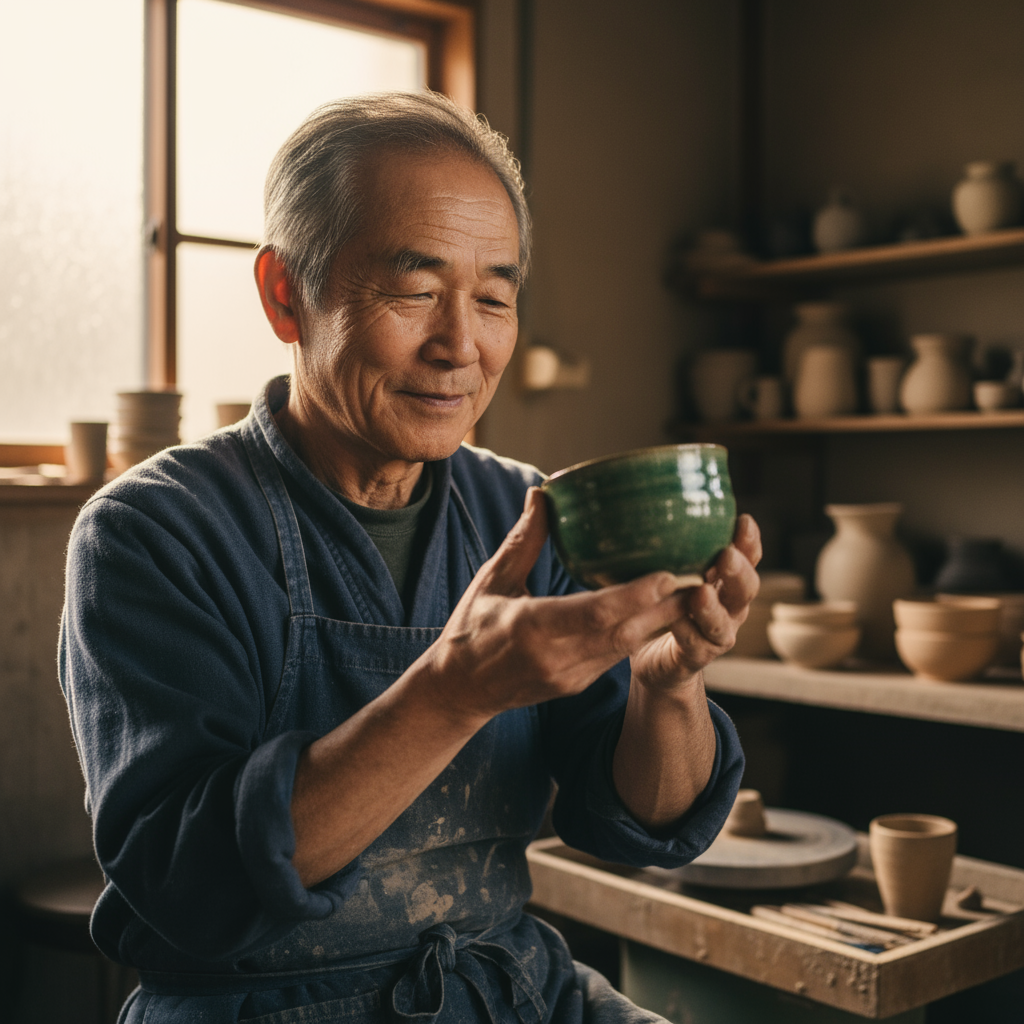
"A photorealistic close-up portrait of an elderly Japanese ceramicist with
deep, sun-etched wrinkles and a warm, knowing smile. He is carefully
inspecting a freshly glazed tea bowl. The setting is his rustic,
sun-drenched workshop. The scene is illuminated by soft, golden hour light
streaming through a window, highlighting the fine texture of the clay.
Captured with an 85mm portrait lens, resulting in a soft, blurred background
(bokeh). The overall mood is serene and masterful. Vertical portrait
orientation."
Case 2: Stylized Illustrations and Stickers
To create stickers, icons, or material resources, clearly specify the style and require a transparent background.
Template:
A [style] sticker of a [subject], featuring [key characteristics] and a
[color palette]. The design should have [line style] and [shading style].
The background must be transparent.
Prompt:
A kawaii-style sticker of a happy red panda wearing a tiny bamboo hat. It's
munching on a green bamboo leaf. The design features bold, clean outlines,
simple cel-shading, and a vibrant color palette. The background must be white.

Case 3: Accurate Text in Images
Gemini excels at rendering text. Clearly specify the text, font style (descriptive), and overall design.
Template:
Create a [image type] for [brand/concept] with the text "[text to render]"
in a [font style]. The design should be [style description], with a
[color scheme].
Prompt:
Create a modern, minimalist logo for a coffee shop called 'The Daily Grind'.
The text should be in a clean, bold, sans-serif font. The design should
feature a simple, stylized icon of a a coffee bean seamlessly integrated
with the text. The color scheme is black and white.

Case 4: Product Mockups and Commercial Photography
Perfect for creating clear, professional product photos for e-commerce, advertising, or brand promotion.
Template:
A high-resolution, studio-lit product photograph of a [product description]
on a [background surface/description]. The lighting is a [lighting setup,
e.g., three-point softbox setup] to [lighting purpose]. The camera angle is
a [angle type] to showcase [specific feature]. Ultra-realistic, with sharp
focus on [key detail]. [Aspect ratio].
Prompt:
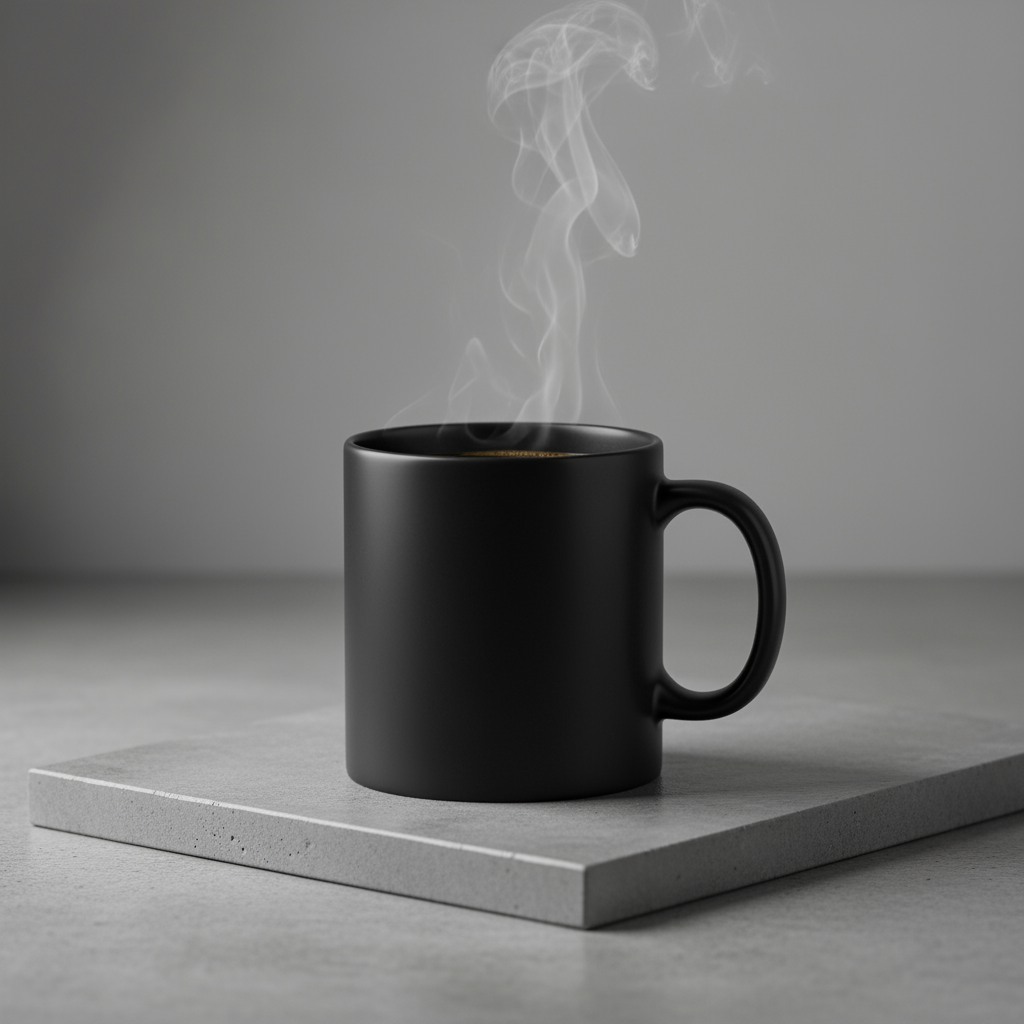
A high-resolution, studio-lit product photograph of a minimalist ceramic
coffee mug in matte black, presented on a polished concrete surface. The
lighting is a three-point softbox setup designed to create soft, diffused
highlights and eliminate harsh shadows. The camera angle is a slightly
elevated 45-degree shot to showcase its clean lines. Ultra-realistic, with
sharp focus on the steam rising from the coffee. Square image.
Case 5: Minimalist Style and Negative Space Design
Perfect for creating backgrounds for websites, presentations, or marketing materials where text can be overlaid.
Template:
A minimalist composition featuring a single [subject] positioned in the
[bottom-right/top-left/etc.] of the frame. The background is a vast, empty
[color] canvas, creating significant negative space. Soft, subtle lighting.
[Aspect ratio].
Prompt:
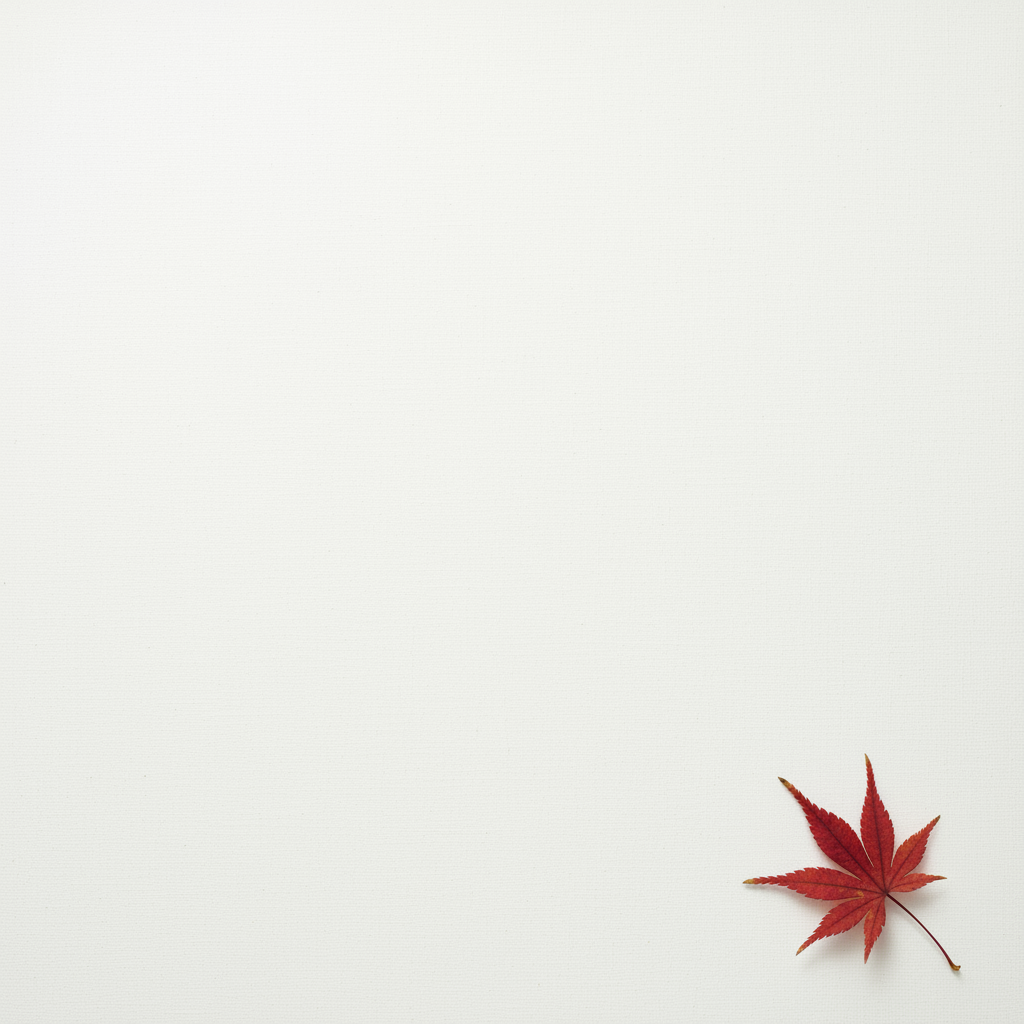
A minimalist composition featuring a single, delicate red maple leaf
positioned in the bottom-right of the frame. The background is a vast, empty
off-white canvas, creating significant negative space for text. Soft,
diffused lighting from the top left. Square image.
Case 6: Sequential Art (Comic Panels / Storyboards)
Based on character consistency and scene descriptions, create panels for visual storytelling.
Template:
A single comic book panel in a [art style] style. In the foreground,
[character description and action]. In the background, [setting details].
The panel has a [dialogue/caption box] with the text "[Text]". The lighting
creates a [mood] mood. [Aspect ratio].
Prompt:
A single comic book panel in a gritty, noir art style with high-contrast
black and white inks. In the foreground, a detective in a trench coat stands
under a flickering streetlamp, rain soaking his shoulders. In the
background, the neon sign of a desolate bar reflects in a puddle. A caption
box at the top reads "The city was a tough place to keep secrets." The
lighting is harsh, creating a dramatic, somber mood. Landscape.
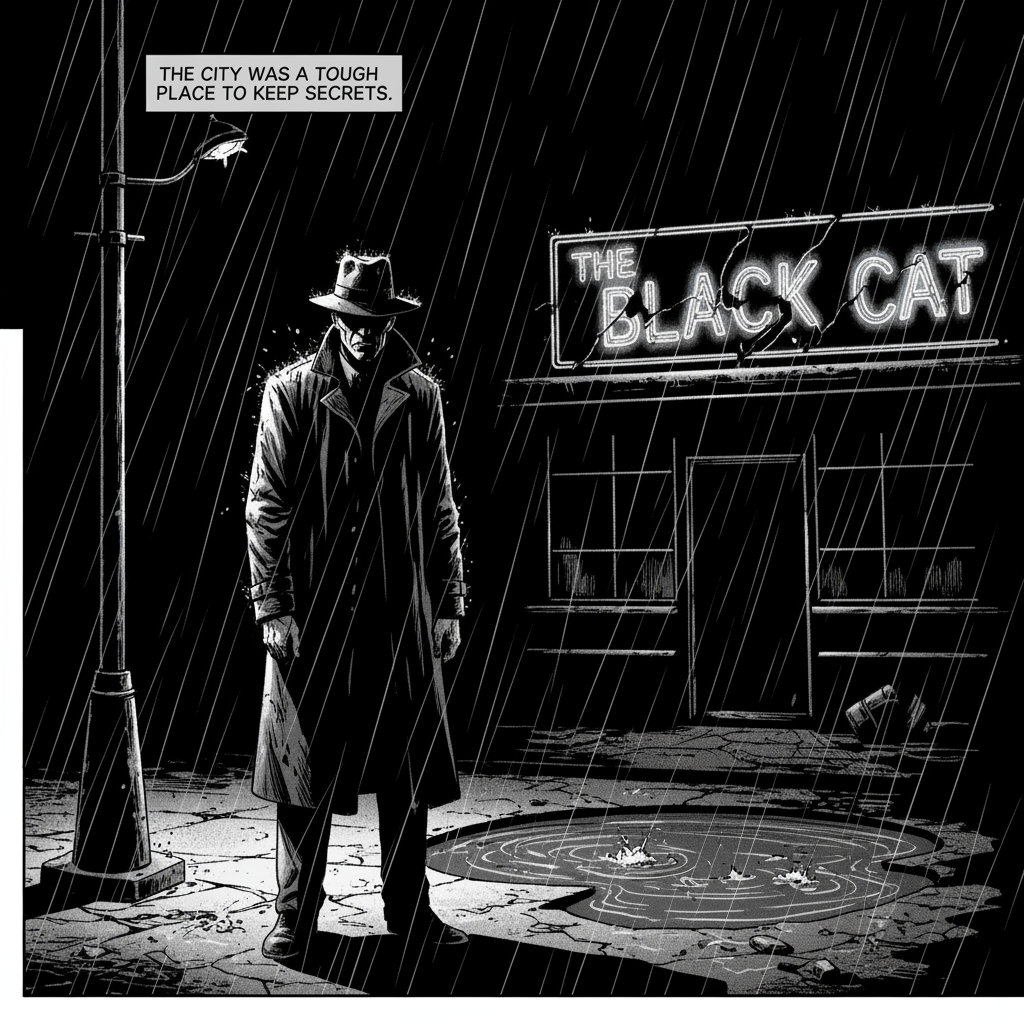
Image Editing and Modification Cases
The following examples show how to provide images along with text prompts for editing, composition, and style transfer.
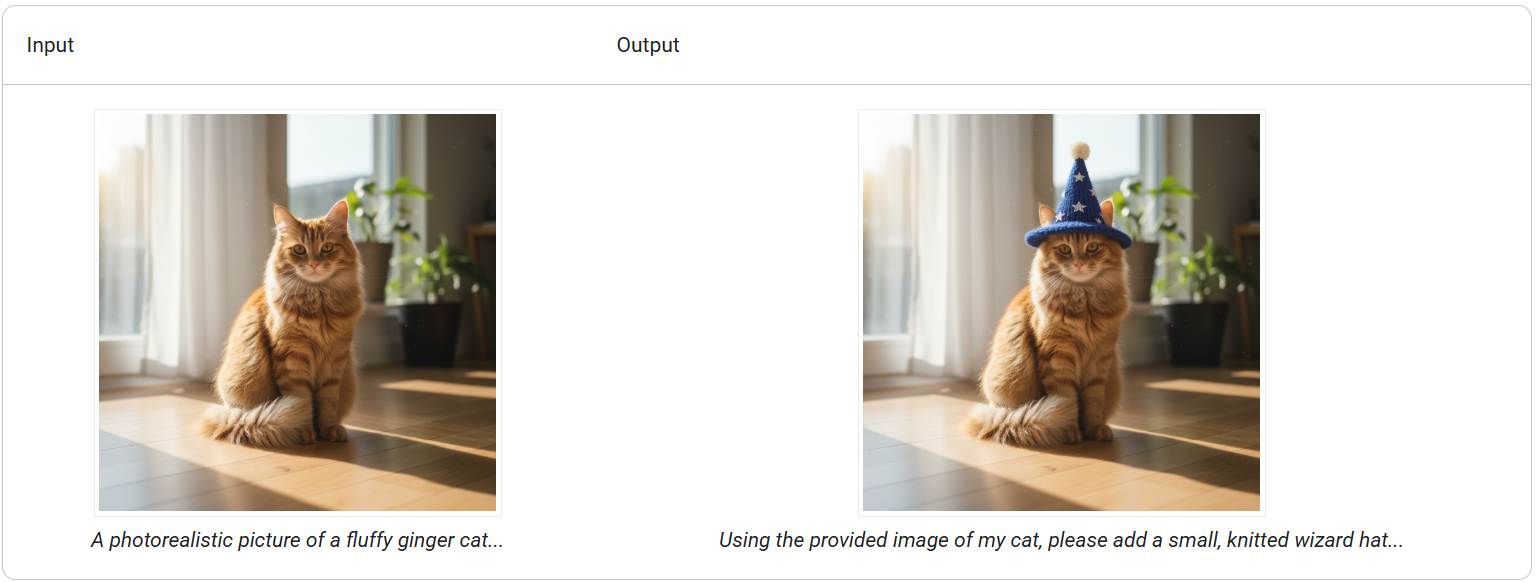
Case 7: Adding and Removing Elements
Provide an image and describe your changes. The model will match the style, lighting, and perspective of the original image.
Template:
Using the provided image of [subject], please [add/remove/modify] [element]
to/from the scene. Ensure the change is [description of how the change should
integrate].
Prompt:
"Using the provided image of my cat, please add a small, knitted wizard hat
on its head. Make it look like it's sitting comfortably and matches the soft
lighting of the photo."
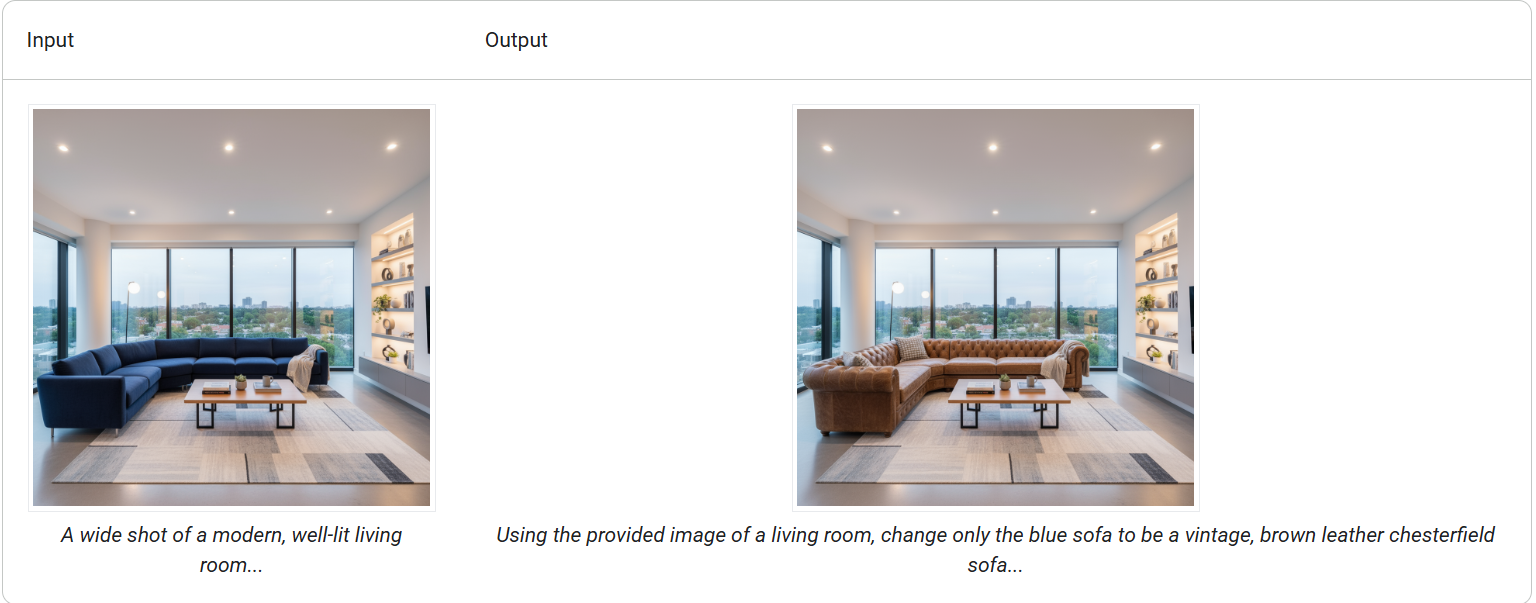
Case 8: Local Inpainting (Semantic Masking)
Define a "mask" through conversation to modify specific parts of an image while keeping the rest unchanged.
Template:
Using the provided image, change only the [specific element] to [new
element/description]. Keep everything else in the image exactly the same,
preserving the original style, lighting, and composition.
Prompt:
"Using the provided image of a living room, change only the blue sofa to be
a vintage, brown leather chesterfield sofa. Keep the rest of the room,
including the pillows on the sofa and the lighting, unchanged."
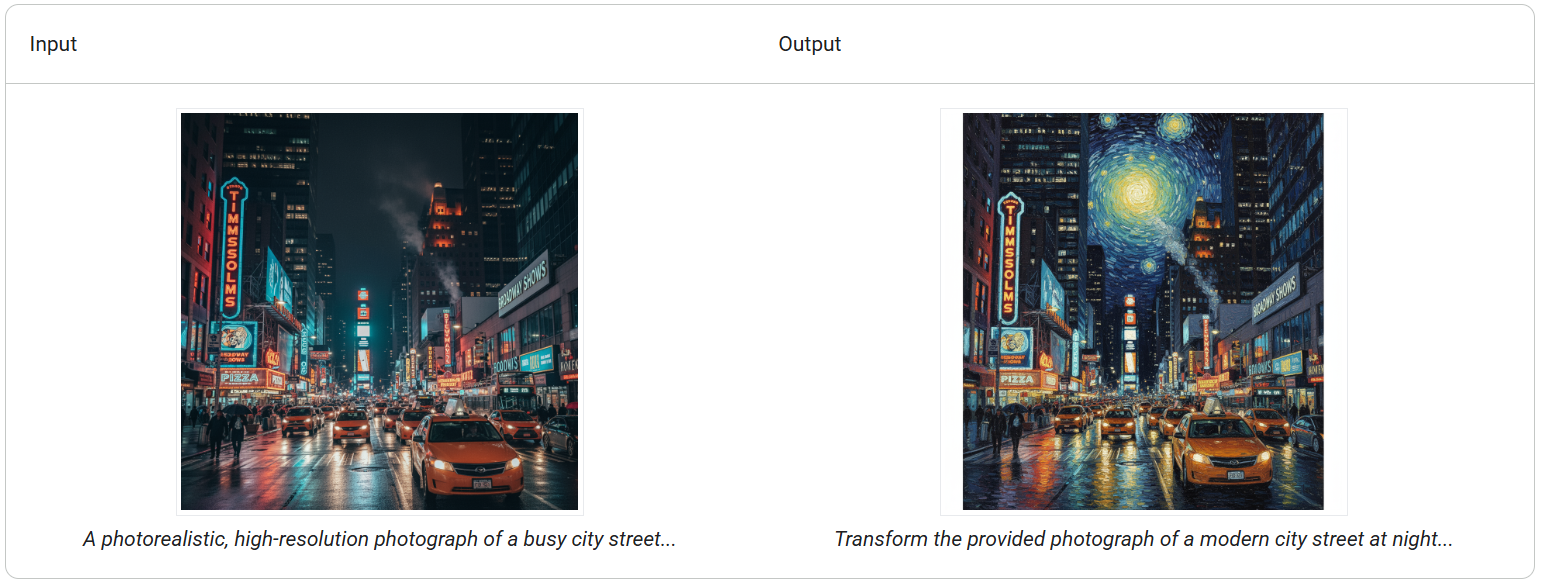
Case 9: Style Transfer
Provide an image and have the model recreate its content in a different artistic style.
Template:
Transform the provided photograph of [subject] into the artistic style of [artist/art style]. Preserve the original composition but render it with [description of stylistic elements].
Prompt:
"Transform the provided photograph of a modern city street at night into the artistic style of Vincent van Gogh's 'Starry Night'. Preserve the original composition of buildings and cars, but render all elements with swirling, impasto brushstrokes and a dramatic palette of deep blues and bright yellows."
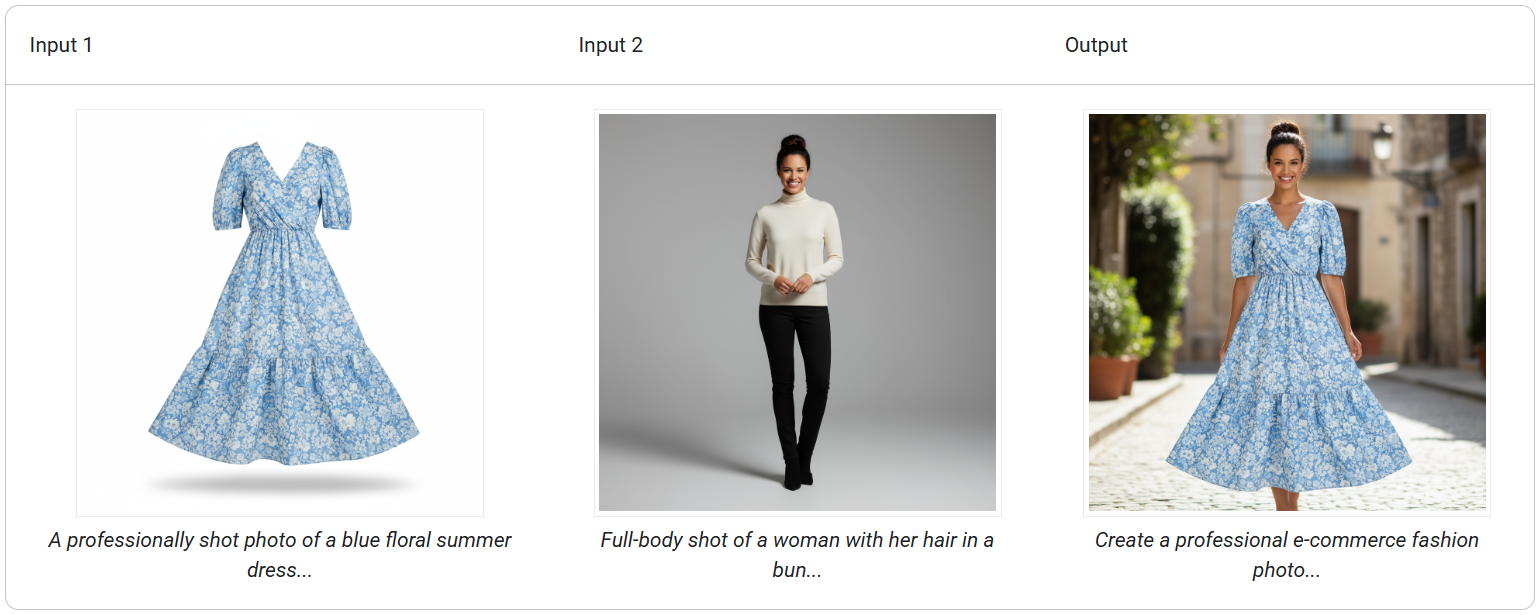
Case 10: Advanced Composition: Combining Multiple Images
Provide multiple images as context to create new composite scenes. This is perfect for creating product mockups or creative collages.
Template:
Create a new image by combining the elements from the provided images. Take
the [element from image 1] and place it with/on the [element from image 2].
The final image should be a [description of the final scene].
Prompt:
"Create a professional e-commerce fashion photo. Take the blue floral dress
from the first image and let the woman from the second image wear it.
Generate a realistic, full-body shot of the woman wearing the dress, with
the lighting and shadows adjusted to match the outdoor environment."
Case 11: High-Fidelity Detail Preservation
To ensure key details (such as faces or logos) are preserved during editing, describe these details in detail in your editing request.
Template:
Using the provided images, place [element from image 2] onto [element from
image 1]. Ensure that the features of [element from image 1] remain
completely unchanged. The added element should [description of how the
element should integrate].
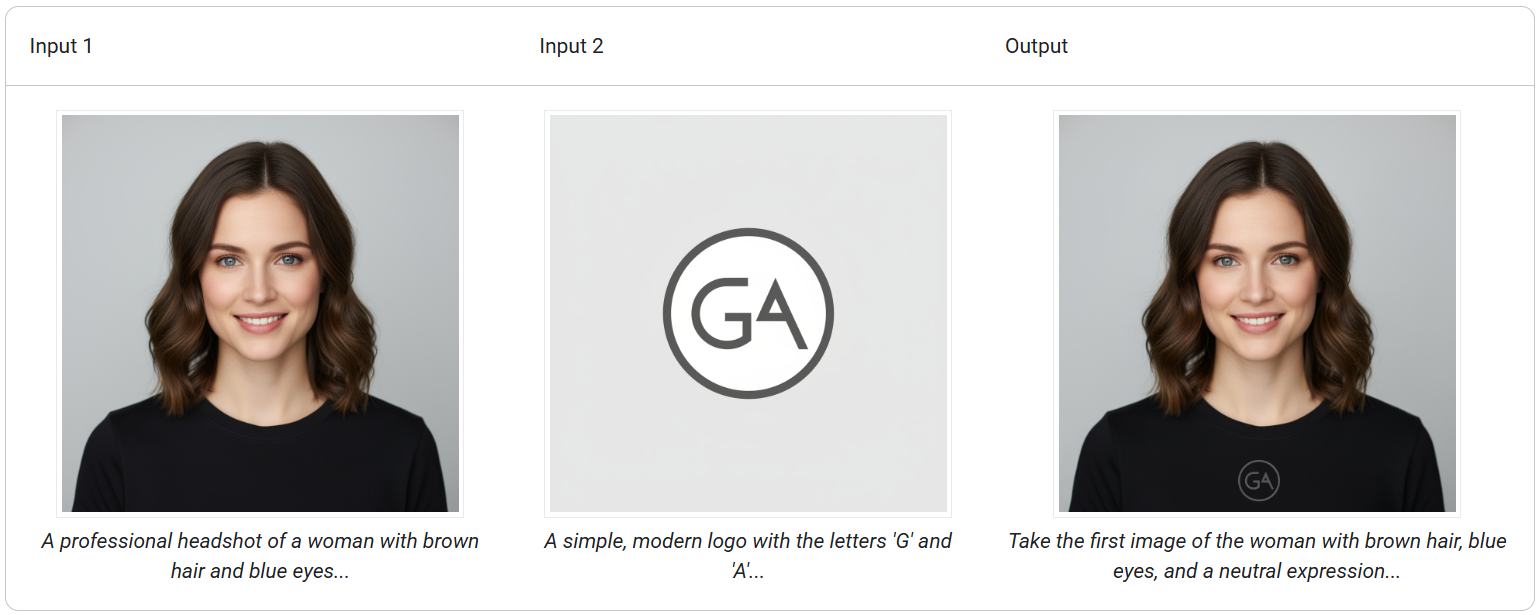
Prompt:
"Take the first image of the woman with brown hair, blue eyes, and a neutral
expression. Add the logo from the second image onto her black t-shirt.
Ensure the woman's face and features remain completely unchanged. The logo
should look like it's naturally printed on the fabric, following the folds
of the shirt."